
Overview
SwiftDelta reads SDK symbols, Swift interfaces and compiler diagnostics from a baseline and a candidate Xcode, resolves your project's sources in their build contexts, and reports what changes, with the evidence for each finding.
Repairs come from compiler Fix-its, SDK rename metadata and other structured evidence. Each one is validated in an isolated copy; Apply rebuilds and restores every file if the final check fails. It ships no catalog of migration rules.
Workflow

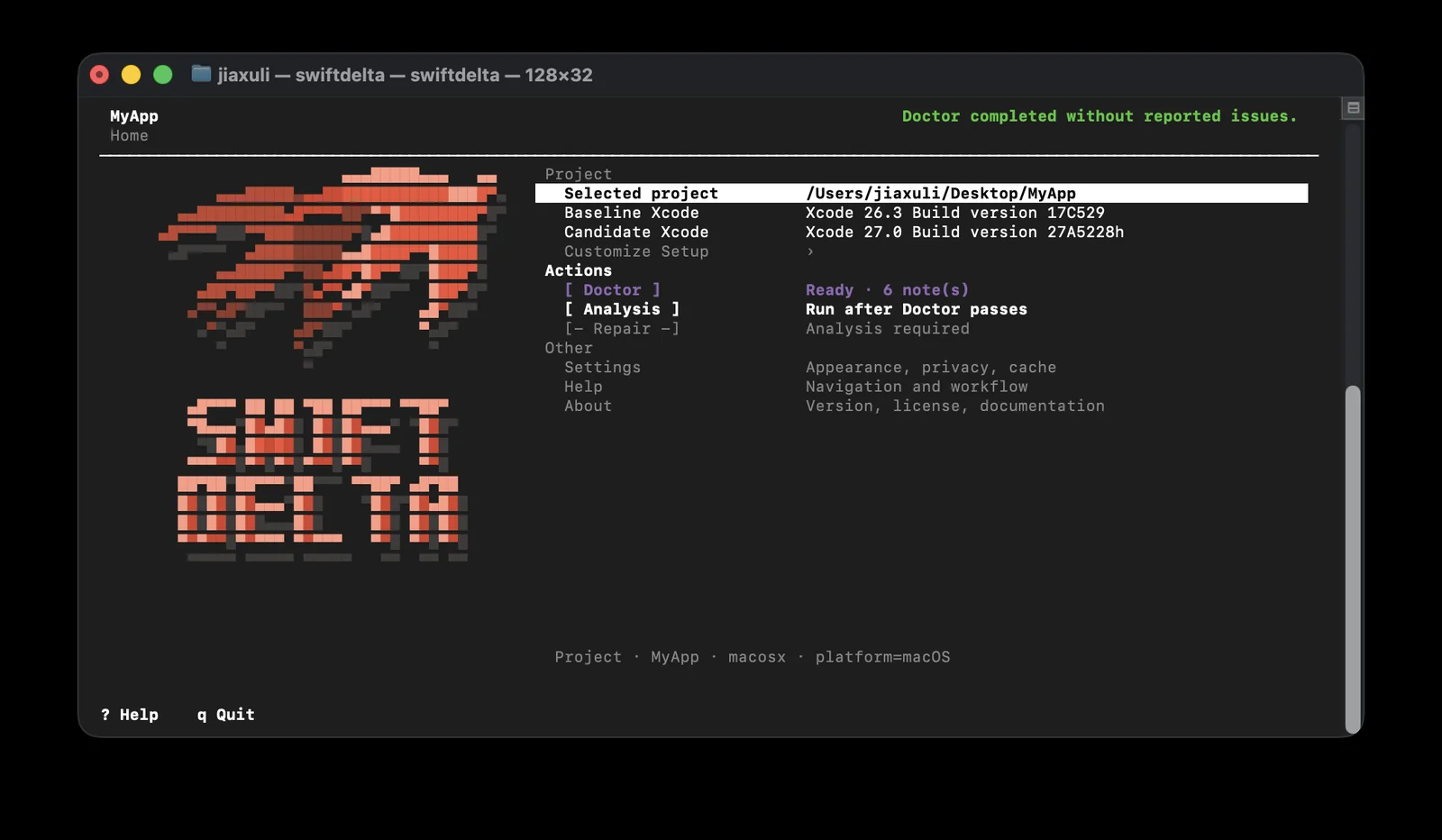
Pick a project, a baseline Xcode and a candidate Xcode. SwiftDelta finds packages, projects, workspaces and schemes, then Doctor checks the environment and tells you what would block the analysis.
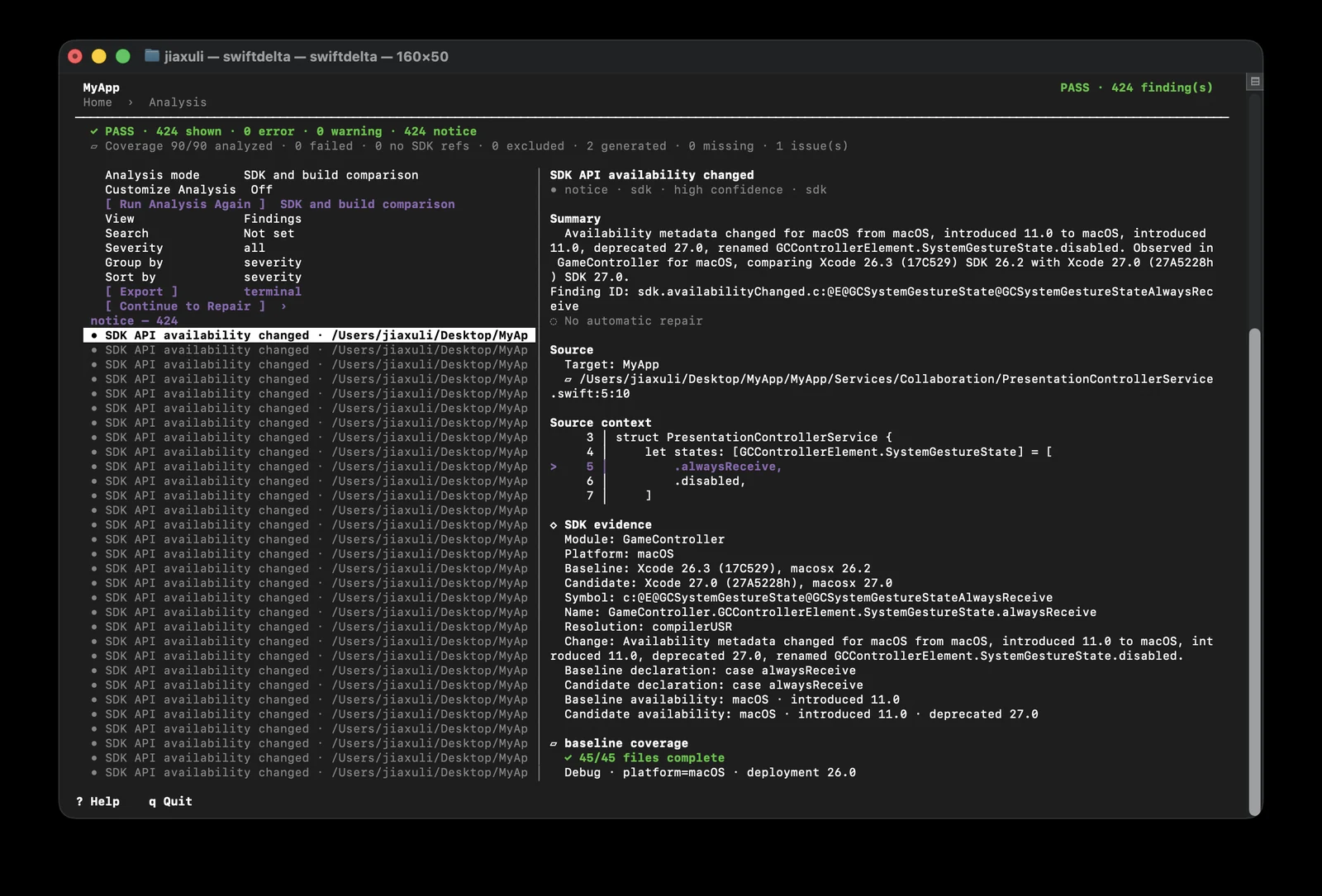
SDK symbols, Swift interfaces and compiler diagnostics come from isolated builds with each Xcode and are compared side by side. Coverage, findings, source context and SDK evidence are kept apart.
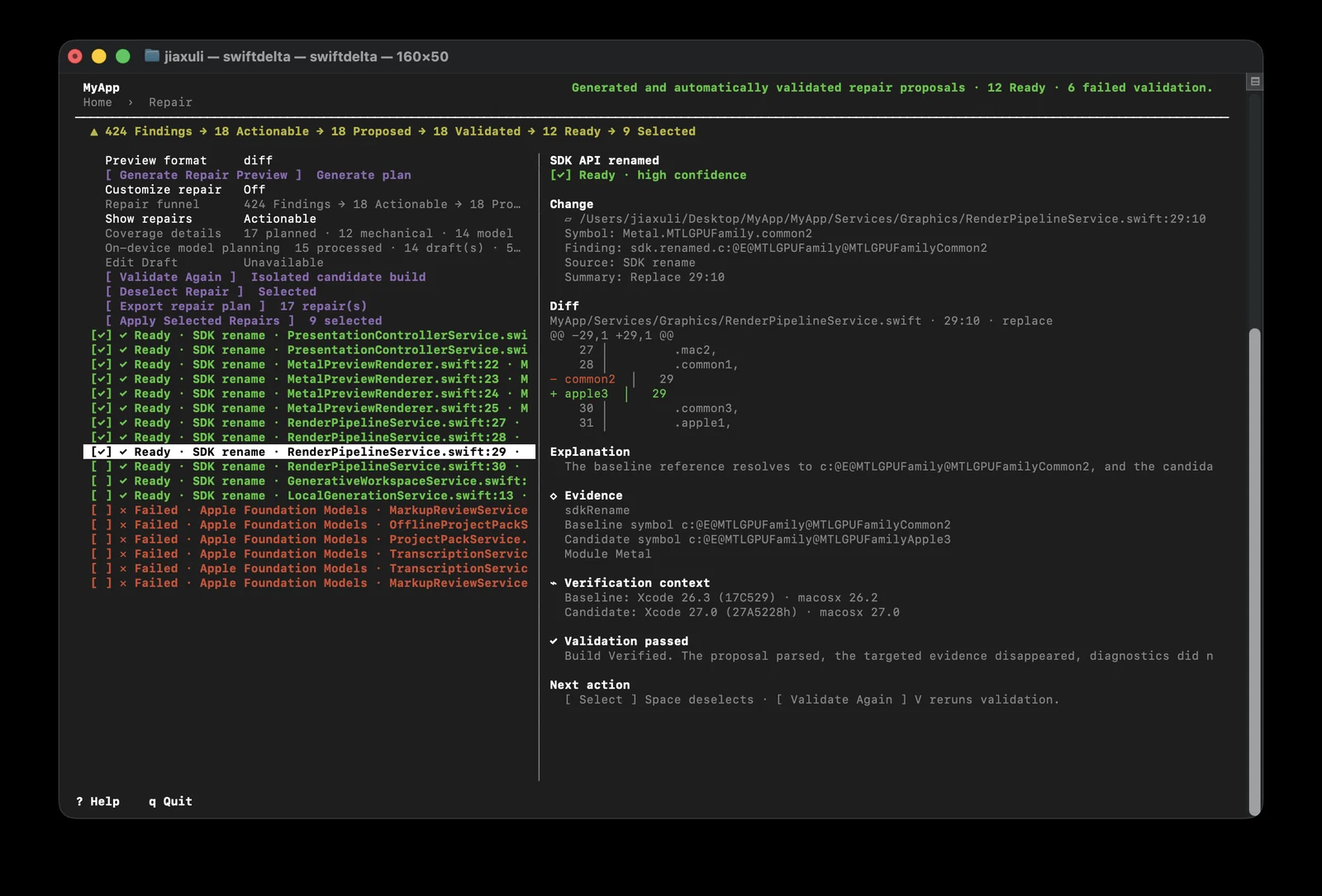
Fixes are planned, then validated in an isolated copy. Every proposal shows its diff, its evidence and whether the build accepted it, and nothing changes until you choose what to apply.
Results and repairs
If part of the project could not be analyzed, SwiftDelta says so: coverage is reported separately from findings, and an empty list with incomplete coverage is not a pass.
Four possible results.
Analysis ends in PASS, FAIL, INCOMPLETE or BLOCKED, so missing coverage is never reported as a pass.
Repairs from evidence.
Fixes come from compiler Fix-its and SDK rename data, not from a catalog of migration rules.
Nothing is left half done.
If the final check fails, every file is restored.
Reports you can keep.
Results in terminal text, JSON or SARIF.
Optional help, on device.
Repair planning can use Apple Foundation Models on device. Without the model, analysis and repair work exactly the same.
Install
Download both files from the latest release, then verify and install from Terminal. Or build it from source with Swift Package Manager.
# in the folder with the two downloaded files
shasum -a 256 -c SwiftDelta-1.0.0-macos-arm64.sha256
unzip SwiftDelta-1.0.0-macos-arm64.zip
sudo mkdir -p /usr/local/bin
sudo install -m 0755 SwiftDelta-1.0.0-macos-arm64/swiftdelta /usr/local/bin/swiftdelta
swiftdelta
Specs
- Requires
- macOS 13 or later
- An interactive terminal
- Two local Xcode installations to compare
- Release binary
- Apple silicon. Signed with Developer ID and notarized by Apple.
- Build from source
- Swift 6.4 and Swift Package Manager
- Projects
- Xcode projects, workspaces and Swift packages
- Reports
- Terminal text, JSON and SARIF
- License
- Apache 2.0